Why Does My IPTV Keep Buffering and How Can I Fix It?
Posted by sharon jack
Filed in Entertainment 34 views
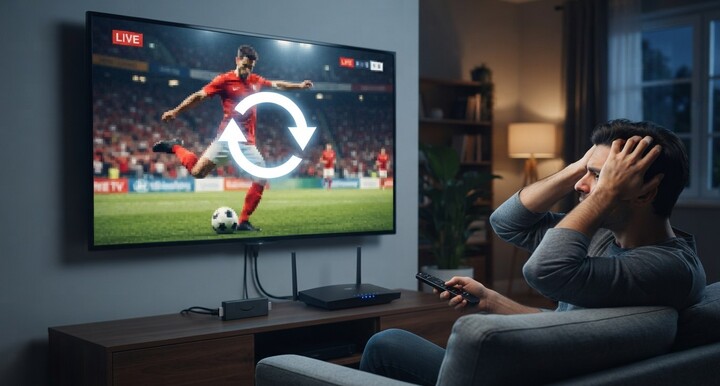
Few things are more frustrating than settling in to watch your favorite show or a live cricket match, only to have the screen freeze and that spinning wheel show up over and over. Buffering is one of the most common complaints IPTV users run into, but the good news is that it's almost always fixable once you know what's actually causing it. This guide walks through every major reason IPTV buffers and gives you practical fixes to get back to smooth, uninterrupted streaming on Indian IPTV USA.
Table of Contents
- What Causes Buffering in the First Place?
- Slow or Unstable Internet Connection
- WiFi Interference and Signal Issues
- Too Many Devices Sharing Your Network
- Outdated Router or Firmware
- Underpowered Streaming Device
- Overloaded IPTV Server or ISP Throttling
- Outdated App or Firmware on Your Device
- Quick Troubleshooting Checklist
- When to Consider a Dedicated IPTV Box
- Frequently Asked Questions
What Causes Buffering in the First Place?
Buffering happens when your device can't receive video data fast enough to keep up with playback, so it pauses to load more before continuing. Since IPTV streams live over the internet rather than through a dedicated cable or satellite signal, anything that disrupts the steady flow of data between the server and your screen can trigger it. The causes usually fall into a few categories: your internet connection, your home network setup, your streaming device, or occasionally the IPTV provider's server itself.
Slow or Unstable Internet Connection
This is the most common cause of buffering. IPTV needs a consistent, uninterrupted stream of data, and even a connection that's "fast enough" on paper can cause issues if it's inconsistent.
Recommended speeds:
| Streaming Quality | Minimum Speed |
|---|---|
| Standard Definition | 3-5 Mbps |
| HD | 8-10 Mbps |
| Full HD (1080p) | 10-15 Mbps |
| 4K Ultra HD | 20-25 Mbps |
Fix: Run a speed test using a tool like Speedtest.net during the time you normally stream. If your results are consistently below these thresholds, consider upgrading your internet plan.
WiFi Interference and Signal Issues
WiFi signals can be disrupted by walls, distance from the router, and interference from other electronics like microwaves, baby monitors, or neighboring networks. Even a fast internet plan can perform poorly over a weak or crowded WiFi signal.
Fix: Move your streaming device closer to the router, switch to the 5GHz band if your router supports it, or better yet, connect via a wired Ethernet cable for the most stable connection possible.
Too Many Devices Sharing Your Network
Every device connected to your home network shares the same total bandwidth. If someone is downloading a large file, gaming online, or streaming on another TV at the same time, your IPTV stream may not get the bandwidth it needs.
Fix: Pause large downloads or other streams while watching, or upgrade to a higher-bandwidth internet plan if multiple people in your household regularly stream at once.
Outdated Router or Firmware
Routers that haven't been restarted or updated in a long time can develop performance issues over time, leading to inconsistent speeds even when your internet plan itself is fine.
Fix: Restart your router and modem every week or two, and check your router manufacturer's app or website for firmware updates.
Underpowered Streaming Device
Older streaming devices, budget Firesticks, or Smart TVs with limited processing power can struggle to decode HD or 4K video smoothly, causing stutters that look like buffering even when your internet is perfectly fine.
Fix: Upgrade to a more capable device, or switch to a dedicated Indian IPTV Box built specifically to handle live TV streaming efficiently.
Overloaded IPTV Server or ISP Throttling
Sometimes the issue isn't on your end at all. If an IPTV provider's servers are overloaded, especially during a major live event with heavy viewership, buffering can occur across many users simultaneously. Similarly, some internet service providers throttle streaming traffic during peak hours.
Fix: If buffering happens only during high-traffic events or specific times of day, reach out to your provider's support team to confirm whether it's a known, temporary issue. A reliable provider should be able to tell you directly.
Outdated App or Firmware on Your Device
Streaming apps like IPTV Smarters or TiviMate receive regular updates that often include performance and stability improvements. Running an old version can lead to unnecessary playback issues.
Fix: Check your app store or the app's settings menu for available updates, and keep both your streaming app and device firmware current.
Quick Troubleshooting Checklist
When buffering strikes, work through this list in order:
- Restart your streaming device and router
- Run a speed test to confirm your internet is performing as expected
- Switch to a wired connection if you're currently on WiFi
- Close other apps or pause downloads on your network
- Update your IPTV app to the latest version
- Contact your provider's support team if the issue persists across multiple devices
When to Consider a Dedicated IPTV Box
If you've worked through every fix above and buffering is still a recurring problem, especially on an older Smart TV or budget streaming stick, a dedicated Indian IPTV Box is often the most reliable long-term solution. These boxes are built specifically for live TV streaming, with hardware optimized to handle HD and 4K content smoothly, independent of whatever device limitations your TV might have.
Frequently Asked Questions
Why does my IPTV buffer even though I have fast internet? Buffering can also be caused by WiFi interference, too many connected devices, an outdated router, or an underpowered streaming device, not just your overall internet speed.
Does switching to Ethernet actually help with buffering? Yes, a wired connection eliminates WiFi interference and generally provides more stable, consistent speeds than wireless connections.
How much internet speed do I need to stop IPTV from buffering? For HD streaming, aim for at least 10-15 Mbps. For 4K content, 20-25 Mbps is recommended.
Can an old Firestick or Smart TV cause buffering? Yes, older or budget devices may lack the processing power needed to decode HD or 4K streams smoothly, which can look identical to a bandwidth issue.
Is buffering ever caused by the IPTV provider rather than my setup? Occasionally, yes, particularly during high-traffic live events. A reputable provider should have reliable server capacity and responsive support to address this quickly.
Get a Smoother Streaming Experience
If buffering has been getting in the way of your favorite shows and live matches, Indian IPTV USA delivers stable, high-quality streaming with responsive customer support ready to help troubleshoot any issues. Pair your subscription with a dedicated Indian IPTV Box for the most consistent, buffer-free performance possible.