Convert Logo to Embroidery File with AI
Posted by Henry Philip
Filed in Arts & Culture 850 views
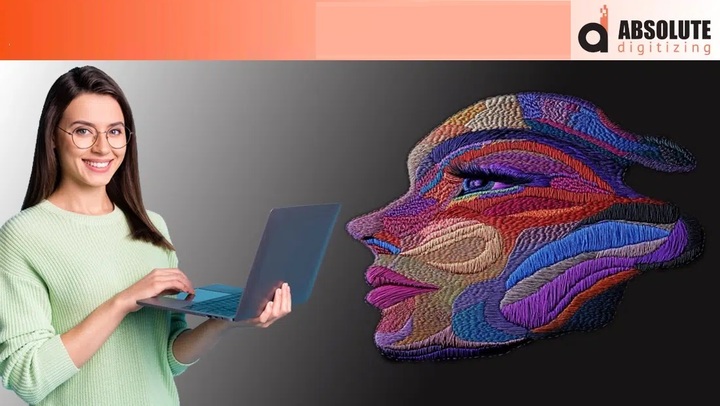
Convert Logo to Embroidery File with AI
Introduction
Artificial intelligence is transforming industries everywhere, and embroidery is no exception. Today, many business owners, apparel decorators, and embroidery enthusiasts are curious about how to convert logo to embroidery file with AI and whether AI can simplify the digitizing process.
At first glance, the idea sounds simple: upload a logo, let AI do the work, and send the file directly to an embroidery machine. While AI technology can certainly speed up some tasks, creating a high-quality embroidery file still requires careful planning and embroidery expertise.
In this guide, we'll explore how AI-assisted embroidery digitizing works, its advantages, limitations, and why professional review remains important for achieving the best embroidery results.
What Does It Mean to Convert a Logo to an Embroidery File?
Before an embroidery machine can stitch a logo, the design must be transformed into a machine-readable embroidery format.
Unlike image files such as:
- JPG
- PNG
- SVG
embroidery files contain instructions that tell the machine:
- Where stitches should go
- Which stitch types to use
- When thread colors change
- Stitch density settings
- Sewing sequence information
This conversion process is known as embroidery digitizing.
Why Embroidery Machines Need Specialized Files
Think of a logo image as a picture of a finished building.
An embroidery file acts like the construction blueprint that explains exactly how to build it. Without those instructions, the embroidery machine cannot accurately recreate the design using thread.
How AI Helps Convert Logo to Embroidery File
Artificial intelligence can assist with several parts of the digitizing process.
Image Recognition
AI can analyze logos and identify:
- Shapes
- Colors
- Text elements
- Design boundaries
This helps automate some of the initial design preparation work.
Stitch Mapping Suggestions
AI tools may recommend:
- Satin stitches
- Fill stitches
- Running stitches
based on the structure of the artwork.
Automatic Object Detection
Many AI-powered systems can separate a logo into individual components and assign embroidery settings automatically.
Faster Workflow
Automation helps reduce the time required to create an initial embroidery file.
For simple designs, this can significantly improve efficiency.
The Limitations of AI in Embroidery Digitizing
Although AI technology is impressive, embroidery remains both a technical and creative process.
Fabric Behavior Is Complex
Different materials react differently during stitching.
For example:
- Caps behave differently than jackets
- Performance fabrics stretch differently than cotton
- Patches require unique digitizing strategies
AI may not always account for these factors accurately.
Small Details Can Be Challenging
Tiny lettering and intricate graphics often require manual adjustments.
Without human intervention, designs may lose clarity during embroidery.
Stitch Density Requires Experience
Too many stitches can cause:
- Fabric puckering
- Thread breaks
- Needle wear
Too few stitches can result in poor coverage.
Experienced digitizers understand how to balance these factors.
Benefits of AI-Assisted Embroidery Digitizing
AI technology still offers several valuable advantages.
Faster Turnaround Times
AI can accelerate portions of the digitizing process.
Improved Workflow Efficiency
Routine tasks can often be automated, allowing digitizers to focus on design refinement.
Better Design Organization
AI helps identify design components and streamline file preparation.
Increased Accessibility
Beginners can experiment with embroidery design conversion more easily than before.
The Importance of Human Expertise
Even with AI-assisted tools, professional digitizing remains essential.
A skilled digitizer evaluates:
- Stitch direction
- Underlay settings
- Pull compensation
- Fabric compatibility
- Machine performance
These adjustments help create embroidery files that stitch smoothly and consistently.
Why Human Review Matters
AI may generate a starting point, but professional review helps ensure:
- Clean lettering
- Accurate registration
- Proper stitch density
- Reduced production issues
- Better overall embroidery quality
Common Uses for AI-Generated Embroidery Files
AI-assisted embroidery digitizing is commonly used for:
Company Logos
Corporate branding remains one of the most popular applications.
Team Apparel
Sports teams frequently use embroidered logos and mascots.
Promotional Products
Custom merchandise often benefits from faster design preparation.
Personalized Gifts
Monograms and custom graphics can often be digitized efficiently using AI-assisted workflows.
Tips for Better Results When Using AI
If you're using AI to help create embroidery files, these best practices can improve outcomes.
Start With High-Quality Artwork
Clean artwork produces better AI analysis and digitizing results.
Keep Designs Simple
Simple logos generally convert more accurately than highly detailed graphics.
Test Before Production
Always run a sample stitch-out before large production runs.
Review the File Carefully
Even AI-generated files should be inspected for potential stitching issues.
Consider Professional Refinement
Human expertise can help optimize AI-generated embroidery files for superior results.
Why Quality Digitizing Still Matters
Many people assume AI completely replaces embroidery digitizing expertise.
In reality, AI is best viewed as a tool that supports the process.
Professional digitizing remains important because embroidery involves variables that software cannot always predict.
At Absolute Digitizing, experienced digitizers combine modern technology with embroidery knowledge to create files that balance efficiency, quality, and production reliability.
Signs of a High-Quality Embroidery File
Whether AI-assisted or manually digitized, a quality embroidery file should provide:
Smooth Stitch Flow
Efficient stitching reduces machine interruptions.
Clear Lettering
Text remains readable and sharp.
Balanced Density
The design should sew cleanly without excessive bulk.
Accurate Design Reproduction
The embroidered result should closely resemble the original logo.
Consistent Performance
The file should stitch reliably across multiple garments and production runs.
Conclusion
The ability to convert logo to embroidery file with AI is making embroidery digitizing faster and more accessible than ever. AI can assist with image analysis, stitch recommendations, and workflow automation, helping simplify portions of the digitizing process.
However, embroidery remains a specialized craft that benefits from human expertise. Fabric behavior, stitch density, design complexity, and machine performance all require careful consideration. By combining AI technology with professional digitizing services from Absolute Digitizing, businesses can achieve embroidery files that not only save time but also deliver exceptional stitch quality and production reliability.
FAQs
Can AI automatically convert a logo into an embroidery file?
AI can assist with the conversion process, but professional review is often needed to ensure optimal embroidery quality.
What is the biggest advantage of AI-assisted digitizing?
The primary benefit is faster file preparation and workflow efficiency.
Does AI replace professional embroidery digitizers?
No. AI is a helpful tool, but experienced digitizers still play a crucial role in optimizing embroidery files.
Can AI handle complex embroidery designs?
AI can assist with complex designs, but intricate details often require manual adjustments.
Why should I test an AI-generated embroidery file?
Testing helps identify issues such as density problems, thread breaks, and registration errors before production begins.