How Barcode Technology Helps Businesses Manage Expiry Dates and Batch Tracking
Posted by Pointus Solutions
Filed in Other 26 views
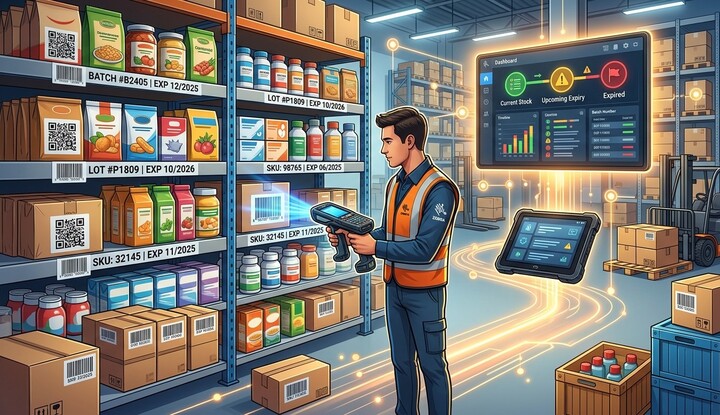
Managing products with expiry dates and batch numbers is an important responsibility for many businesses. Retailers, warehouses, distributors, manufacturers, healthcare organizations, food suppliers, and pharmaceutical companies need to know not only how much inventory they have, but also which batch each product belongs to and when it expires. Poor tracking can result in expired products, unnecessary waste, inventory discrepancies, compliance problems, and financial losses.
Barcode technology provides a practical way to improve expiry-date and batch tracking by connecting physical products with digital inventory records. With barcode labels, scanners, mobile computers, printers, and inventory management software, businesses can capture important product information quickly and consistently.
For organizations exploring reliable Pointus Solutions, barcode-based tracking can provide a strong foundation for better inventory control. Businesses can Shop Barcode scanners, printers, labels, and related equipment while using professional Printing Products to create clear identification labels. When properly implemented, barcode technology can help businesses monitor product batches, identify upcoming expirations, reduce waste, and improve overall inventory visibility.
What Is Batch Tracking?
Batch tracking is the process of identifying and monitoring products according to the specific production or supply batch they belong to.
A batch may contain products manufactured, packaged, or received during a particular production period.
Businesses may need to track information such as:
- Batch number
- Lot number
- Product SKU
- Manufacturing date
- Expiry date
- Supplier
- Quantity received
- Storage location
- Distribution information
For example, a warehouse may have 1,000 units of the same product but receive them from several different batches. Each batch may have a different expiry date.
Without batch tracking, employees may find it difficult to determine which products should be sold or shipped first.
What Is Expiry-Date Tracking?
Expiry-date tracking involves recording and monitoring the date by which a product should be used, sold, distributed, or removed from inventory according to applicable product requirements.
Expiry management is especially important for products such as:
- Food and beverages
- Pharmaceuticals
- Medical supplies
- Cosmetics
- Chemicals
- Certain agricultural products
- Temperature-sensitive goods
A barcode system can associate the product with its expiry date in the inventory database, allowing businesses to monitor products throughout their lifecycle.
How Barcodes Support Batch and Expiry Tracking
A barcode itself can either contain relevant information or, more commonly, act as a unique identifier that allows software to retrieve information stored in a database.
For example, a product's barcode may be linked to:
Product → SKU → Batch Number → Expiry Date → Quantity → Location
When an employee scans the barcode, the inventory system can retrieve the relevant information.
Depending on the barcode format and business system, additional data may be encoded or captured separately, such as batch and expiry information.
This creates a digital connection between physical inventory and business records.
1. Improves Product Identification
The first benefit of barcode technology is accurate product identification.
Products with similar names or packaging can easily be confused when employees rely on visual identification alone.
A barcode provides a unique machine-readable identifier.
When employees scan the product, the system can display the relevant information and help confirm that the correct item is being handled.
This is particularly useful when different batches of the same product are stored in the same warehouse.
2. Makes Batch Tracking More Accurate
Businesses can assign batch or lot information to inventory records and capture it during receiving, storage, picking, and shipping.
For example:
Product A → Batch 1058 → Expiry: June 2027
Another shipment might be:
Product A → Batch 1092 → Expiry: October 2027
Although both are the same product, they need to be tracked separately.
Barcode scanning allows employees to record the appropriate batch information without repeatedly typing lengthy numbers into the system.
3. Helps Businesses Follow FIFO and FEFO
Barcode technology can support important inventory rotation methods.
FIFO – First In, First Out
FIFO means older inventory is generally used or shipped before newer inventory.
FEFO – First Expired, First Out
FEFO prioritizes products with the earliest expiry dates.
For products with expiry requirements, FEFO can be particularly useful.
For example, if a warehouse has three batches of the same product, the inventory system can identify which batch expires first. Employees can then prioritize that batch for picking or distribution according to the company's procedures.
Barcode scanning provides the identification and verification needed to support this process.
4. Reduces the Risk of Shipping Expired Products
Shipping an expired product can create serious business and customer-service problems.
Barcode-based verification can provide an additional checkpoint before an item leaves the warehouse.
During picking, employees can scan the product barcode. The inventory system can verify the product and retrieve its batch and expiry information.
If the selected product does not meet the organization's shipping rules, the system can flag it for review.
This can help prevent expired or unsuitable inventory from being accidentally included in customer orders.
5. Helps Identify Products Approaching Expiry
Barcode-based inventory systems can provide reports showing products that are approaching their expiry dates.
Managers can use this information to take appropriate action, such as:
- Prioritizing inventory
- Adjusting purchasing decisions
- Reviewing stock levels
- Moving products between locations
- Planning promotions where appropriate
- Returning eligible products to suppliers
- Removing products according to company procedures
Early visibility gives businesses more time to respond rather than discovering expired inventory after the expiry date has passed.
6. Improves Warehouse Organization
Expiry and batch information can also improve how products are organized within a warehouse.
Businesses can assign products to specific storage locations and record those locations in the inventory system.
Employees can scan:
Product barcode → Batch information → Storage location
When products need to be picked, employees can retrieve the appropriate location from the system.
This can reduce the amount of time spent searching for specific batches.
7. Simplifies Inventory Audits
Inventory audits require accurate records.
When products have different batch numbers and expiry dates, manually checking every item can be difficult.
Barcode scanners and mobile computers allow employees to scan products and capture information quickly.
The collected information can then be compared with inventory records.
Businesses can identify discrepancies such as:
- Incorrect quantities
- Missing products
- Incorrect batches
- Incorrect locations
- Expired inventory
- Unrecorded inventory movements
Regular barcode-based audits can help maintain better inventory accuracy.
8. Supports Product Recalls
Batch tracking becomes especially valuable when a specific batch needs to be recalled.
If a business has accurate batch records, it can identify affected products more quickly.
For example, if a supplier announces a recall for a particular lot, the business can search its inventory system for that batch number.
The system may help identify:
- Current warehouse stock
- Storage locations
- Orders associated with the batch
- Distribution records
- Relevant customers or destinations, where applicable
Barcode technology can therefore support faster and more organized recall processes.
9. Improves Supply Chain Visibility
Products often pass through multiple stages before reaching the final customer.
A typical journey may look like:
Manufacturer → Distributor → Warehouse → Retailer → Customer
Barcode scanning at different stages can create a digital record of inventory movement.
Businesses can track when products were received, stored, moved, picked, and shipped.
When batch and expiry information is included in the inventory process, organizations gain better visibility into the lifecycle of specific products.
10. Supports Better Purchasing Decisions
Expiry and batch data can also help businesses make better purchasing decisions.
If inventory reports show that certain products frequently approach expiry before being sold, managers can review ordering quantities and purchasing patterns.
Businesses can identify:
- Slow-moving products
- Fast-moving products
- Frequently expiring inventory
- Overstocked items
- Seasonal demand
- Batch-specific inventory issues
This information can help reduce unnecessary inventory investment and product waste.
The Role of Barcode Scanners
Barcode scanners are essential for capturing product information.
Businesses can choose from several types of scanners, including:
Handheld Scanners
Useful for retail counters, receiving stations, and general inventory tasks.
Wireless Scanners
Ideal for employees who need to move throughout a warehouse.
Mobile Computers
Combine barcode scanning with a display and software access, making them particularly useful for warehouse employees.
Fixed Scanners
Can be installed at specific workstations or automated processing points.
When you Shop Barcode equipment, consider scanning volume, barcode types, operating environment, scanning distance, connectivity, and software compatibility.
The Importance of Barcode Printing Products
Reliable barcode printing is another critical part of expiry and batch tracking.
If labels are poorly printed or damaged, employees may have difficulty scanning them.
Businesses should select suitable Printing Products based on their operational requirements.
Important considerations include:
- Label material
- Print resolution
- Printer speed
- Label size
- Adhesive quality
- Environmental exposure
- Thermal transfer or direct thermal printing
- Required barcode format
Thermal label printers can be particularly useful for warehouses and manufacturing environments that need consistent barcode labels.
Designing Effective Batch and Expiry Labels
Labels should be clear and easy to identify.
Depending on the business requirements, a label may include:
Product Name
SKU: 45821
Batch: B2026-104
Expiry: 15/08/2027
Barcode
Clear visual information helps employees identify products while the barcode provides machine-readable data.
Integrating Barcode Technology with Inventory Software
Barcode scanning becomes significantly more powerful when connected to inventory management software.
The software can store and process information about:
- Products
- Batches
- Expiry dates
- Quantities
- Locations
- Suppliers
- Orders
- Inventory movements
Businesses can also configure alerts and reports according to their operational requirements.
For example, the system could provide a report of products approaching expiry within a defined period.
This gives managers better information for inventory planning.
Common Mistakes to Avoid
Businesses should avoid several common problems when implementing barcode-based expiry tracking.
Inconsistent Batch Information
Use standardized procedures for recording batch and lot numbers.
Poor-Quality Labels
Unreadable barcodes can cause scanning failures and delays.
Not Tracking Locations
Knowing the batch is useful, but knowing where it is stored is equally important.
Manual Data Entry
Minimize unnecessary manual typing wherever possible.
Ignoring Software Integration
Scanners should connect effectively with the inventory system.
Failing to Train Employees
Employees should understand when and how batch and expiry information must be captured.
Best Practices for Expiry and Batch Management
Businesses can improve their barcode systems by following these practices:
- Assign clear product and batch identifiers.
- Use high-quality barcode labels.
- Record expiry dates accurately.
- Label warehouse locations.
- Scan products during receiving.
- Track inventory movements.
- Use FEFO where appropriate.
- Perform regular cycle counts.
- Monitor upcoming expiry dates.
- Maintain barcode printers and scanners.
- Train employees on standard procedures.
- Review inventory reports regularly.
Conclusion
Barcode technology provides businesses with a practical way to improve expiry-date and batch tracking. By connecting products to digital records, barcode systems can help organizations identify specific batches, monitor expiry dates, improve stock rotation, reduce inventory errors, and support more efficient warehouse operations.
For businesses considering Pointus Solutions, implementing barcode technology as part of a complete inventory management strategy can provide significant operational benefits. Companies can Shop Barcode scanners, mobile computers, and printers according to their specific requirements, while dependable Printing Products such as thermal printers, labels, and ribbons can support clear and reliable product identification.
When barcode technology is integrated with inventory software and supported by consistent employee procedures, businesses can gain better control over products throughout their lifecycle. Whether managing food, healthcare products, cosmetics, manufacturing materials, or other time-sensitive inventory, an effective barcode system can help organizations reduce waste, improve traceability, and make smarter inventory decisions.